If you are unable to access your mailbox due to a password issue or login error, you can generate a One-Time Password (OTP) from your client area to regain access.
Step 1: Log in to Your Client Area
Log in to your client area at:
https://www.thexyz.com/account/login
Once logged in:
- Navigate to Services
- Click on your Email Service
- Click Manage Product
Step 2: Locate the Mailbox Section
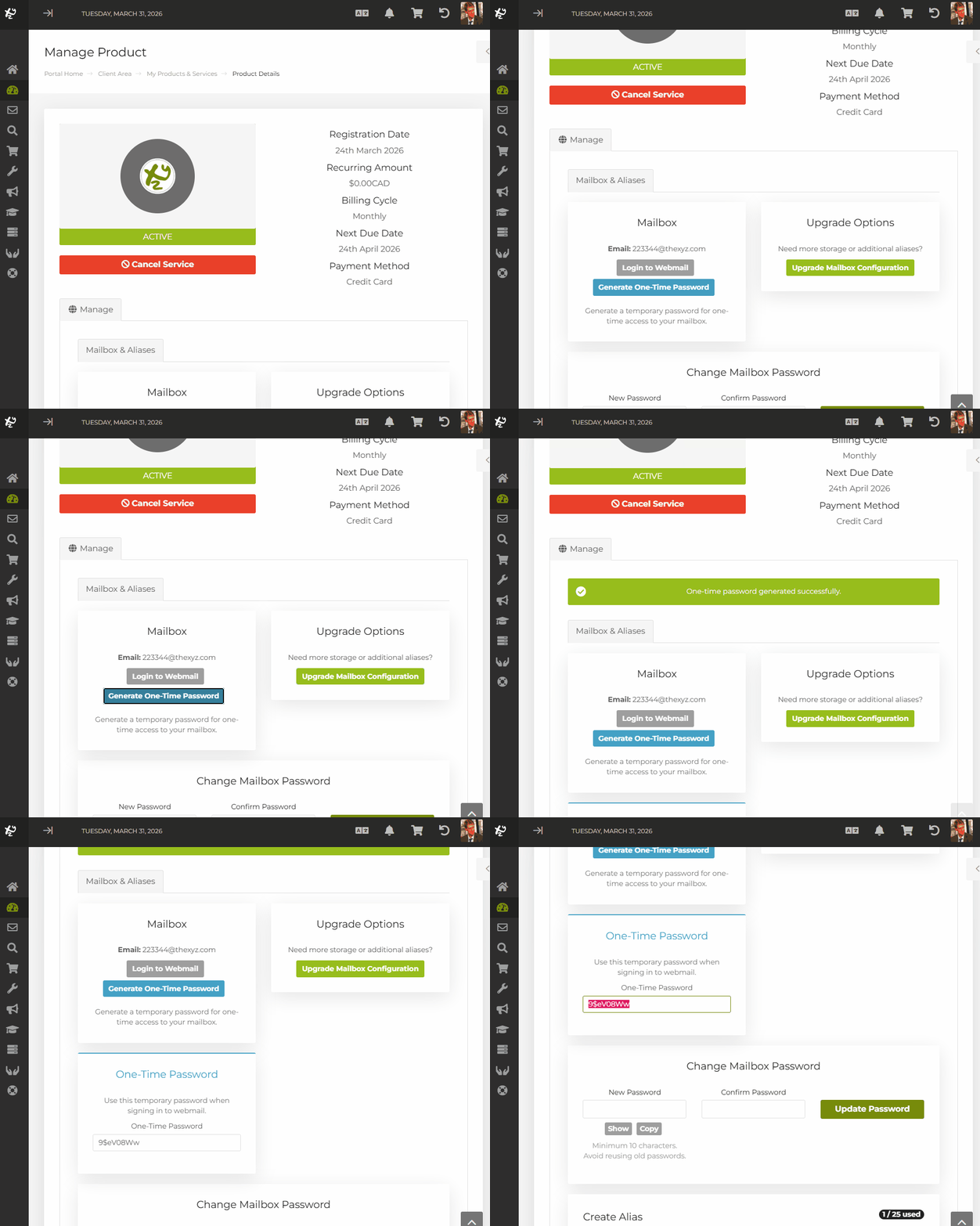
On the Manage Product page, scroll down to the Mailbox section.
This section displays your email address and options related to mailbox access.
Step 3: Generate a One-Time Password
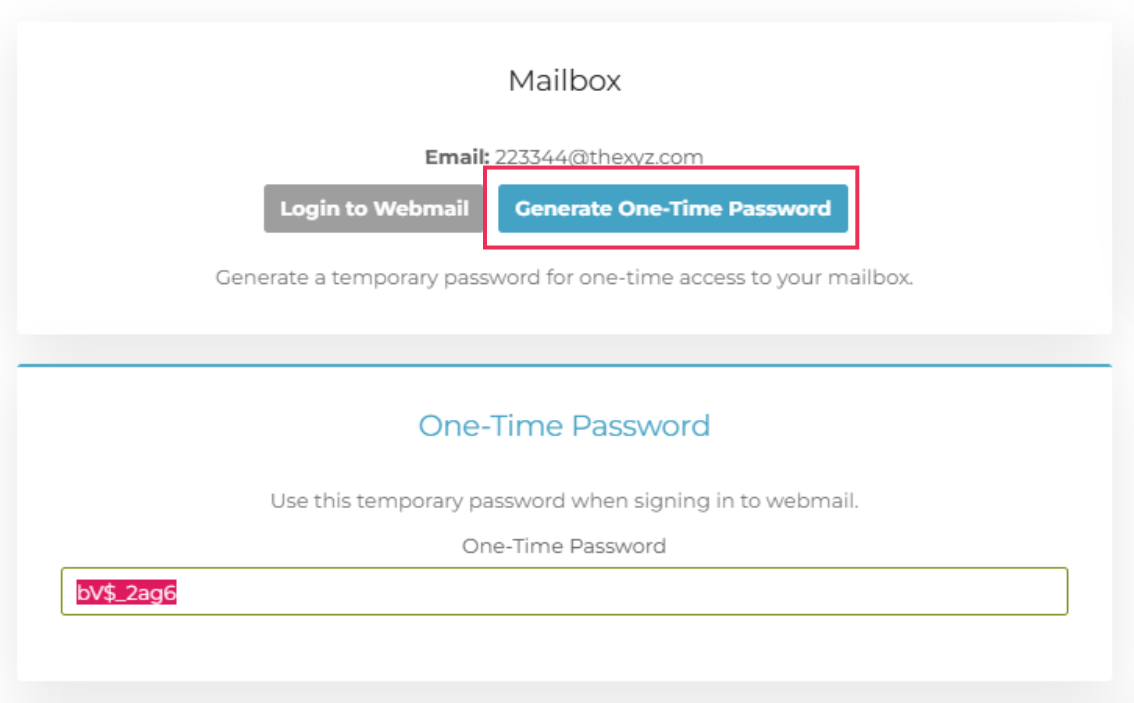
Click the Generate One-Time Password button.
A temporary password will be generated and displayed on the screen.
Important Notes
- The One-Time Password is valid for 5 minutes only
- If you generate a new One-Time Password, the previous one will immediately stop working
- This password is intended for temporary access only
Step 4: Log in to Webmail
Go to the webmail login page:
https://mail.thexyz.com
Use the following credentials:
- Email address: Your full email address
- Password: The One-Time Password you generated
After Logging In
Once you have successfully accessed your mailbox, you should take one of the following actions:
Create an App Password
This is recommended if you are using email apps such as Apple Mail, Outlook, or mobile devices. App passwords provide a stable and secure way to stay connected.
Change Your Webmail Password
You can update your mailbox password to regain normal access without needing a One-Time Password in the future.
When to Use a One-Time Password
You should use a One-Time Password if:
- You are locked out of your mailbox
- Your current password is not working
- You need immediate access without going through a full reset process
Additional Notes
- Always use the One-Time Password immediately after generating it
- Do not share your One-Time Password with anyone
- If the password expires, simply generate a new one from the client area